🌿 Care, made effortless

Simple for them.
Powerful for you.

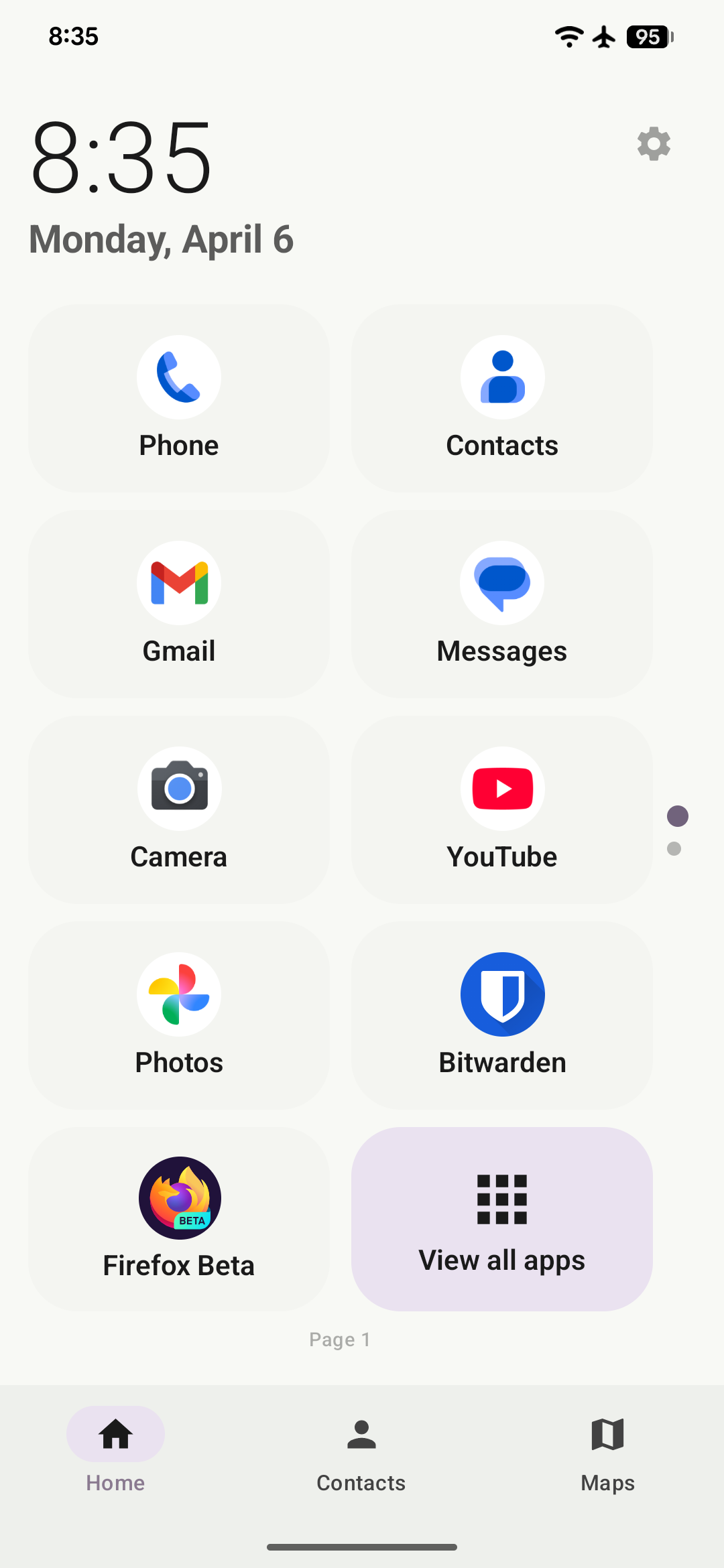
Tether Launcher replaces the Android home screen with a calm, distraction-free interface for your loved one — whether that's an aging parent, a child, or anyone who deserves a simpler phone experience.

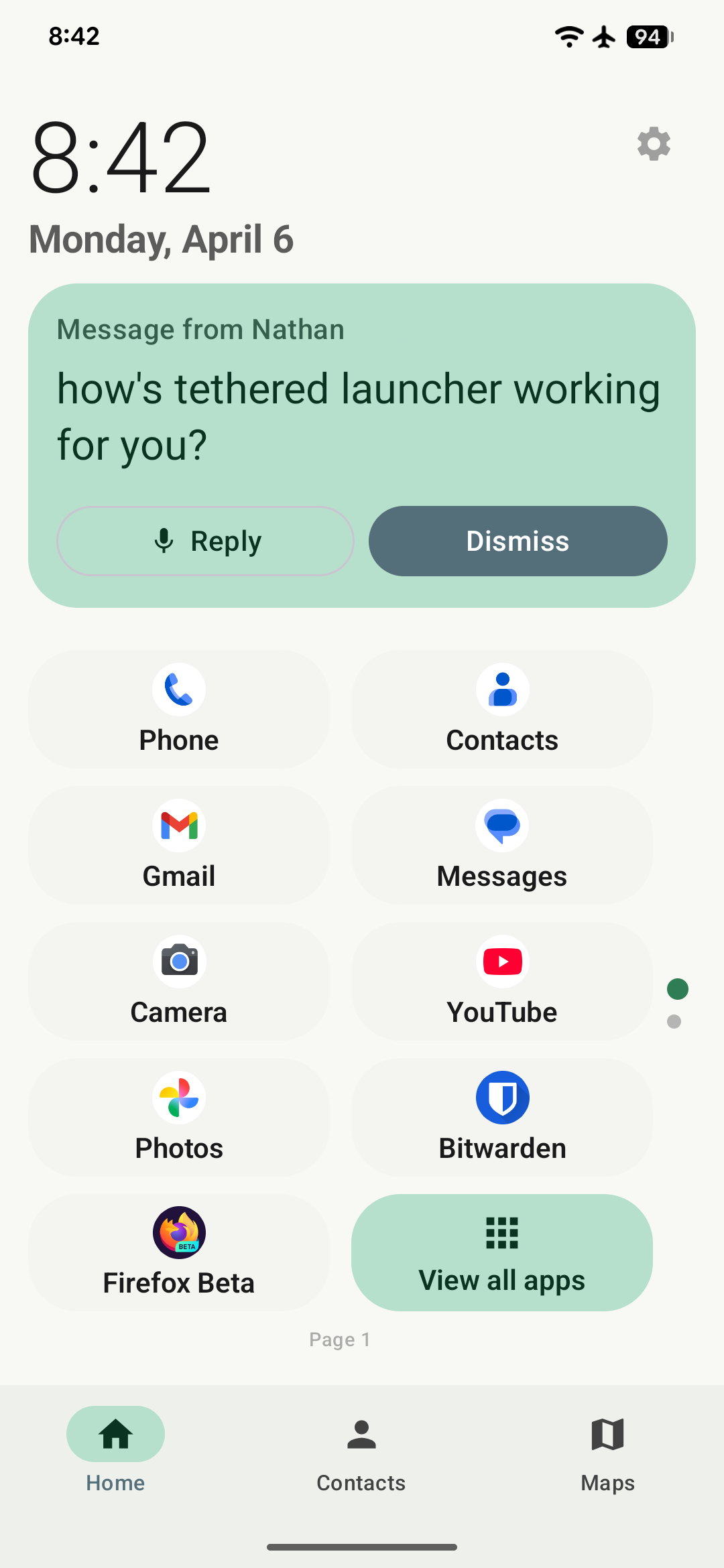
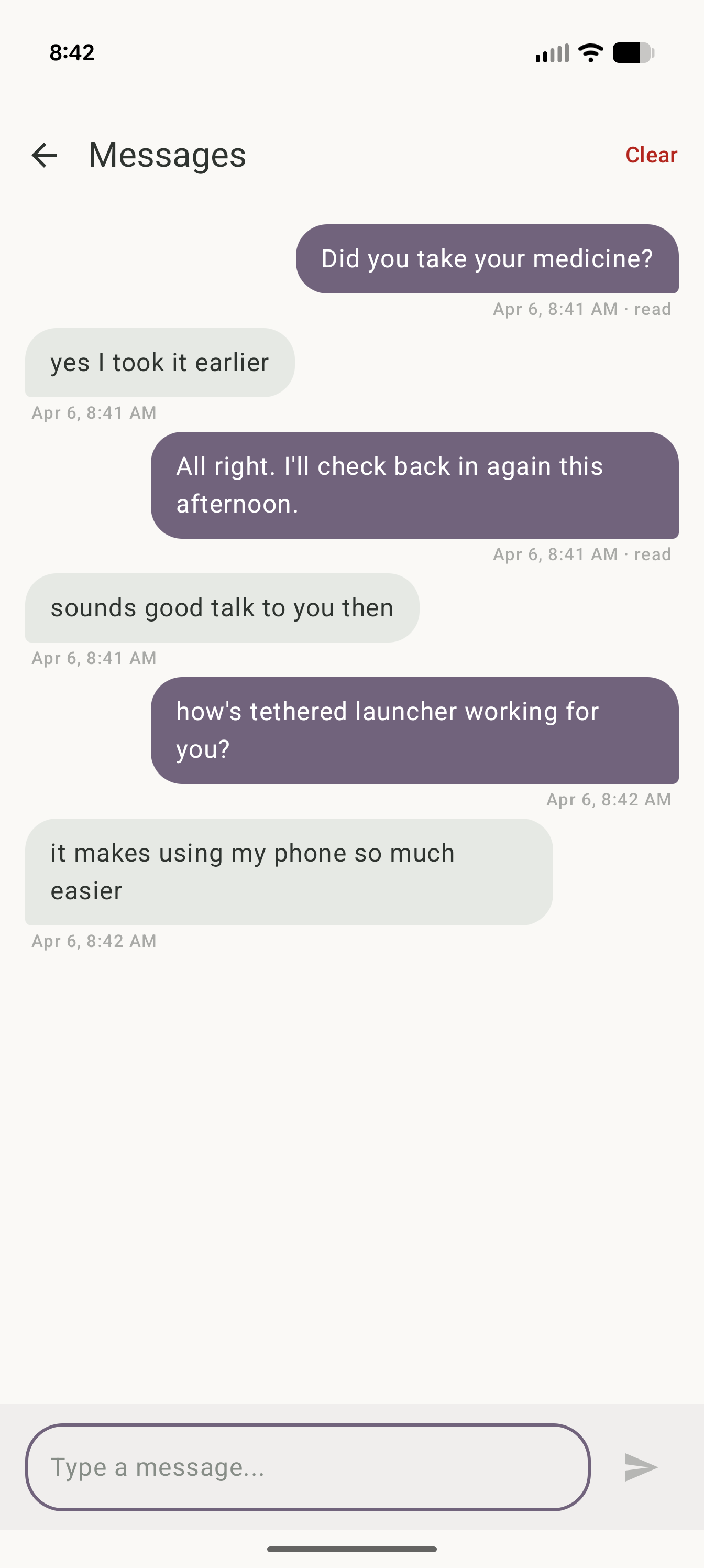
Tether Launcher home screen
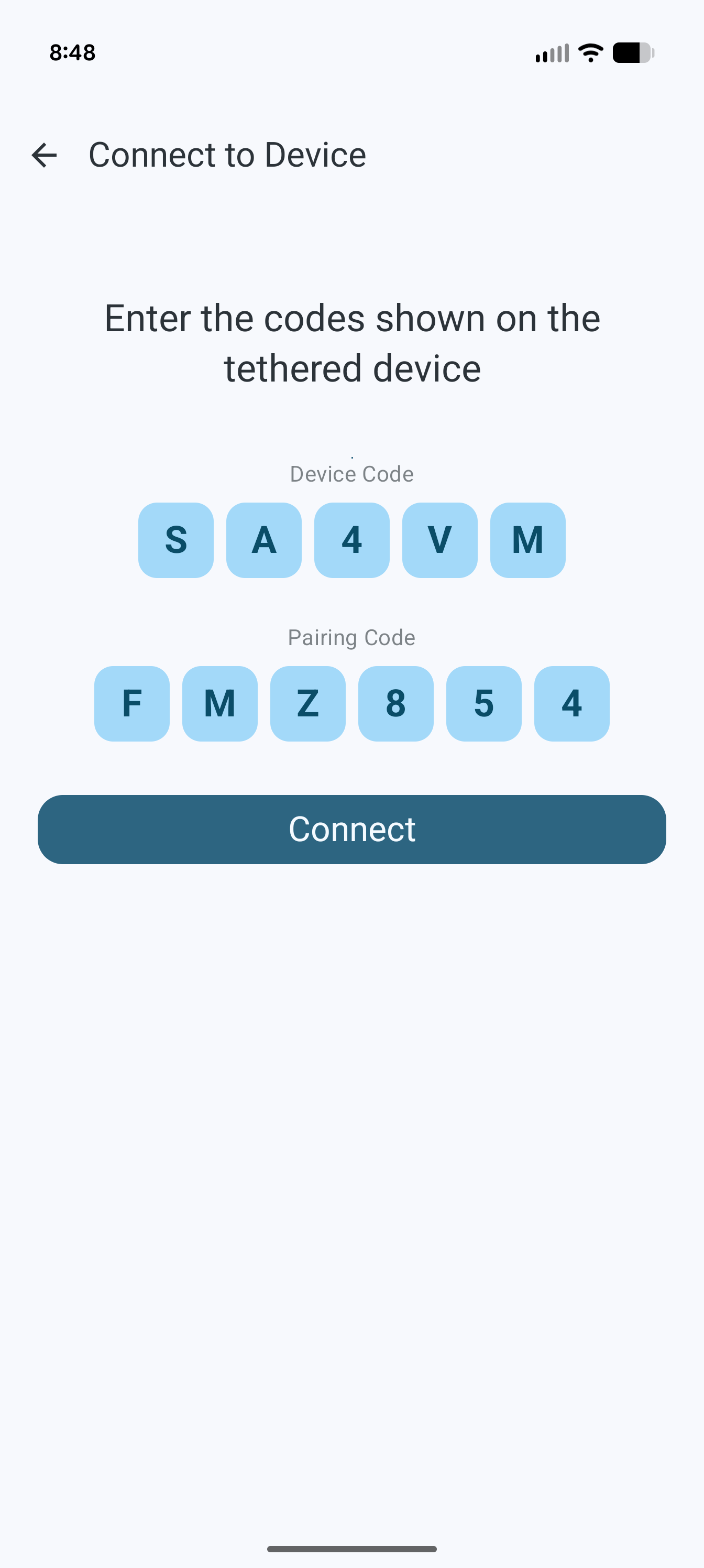
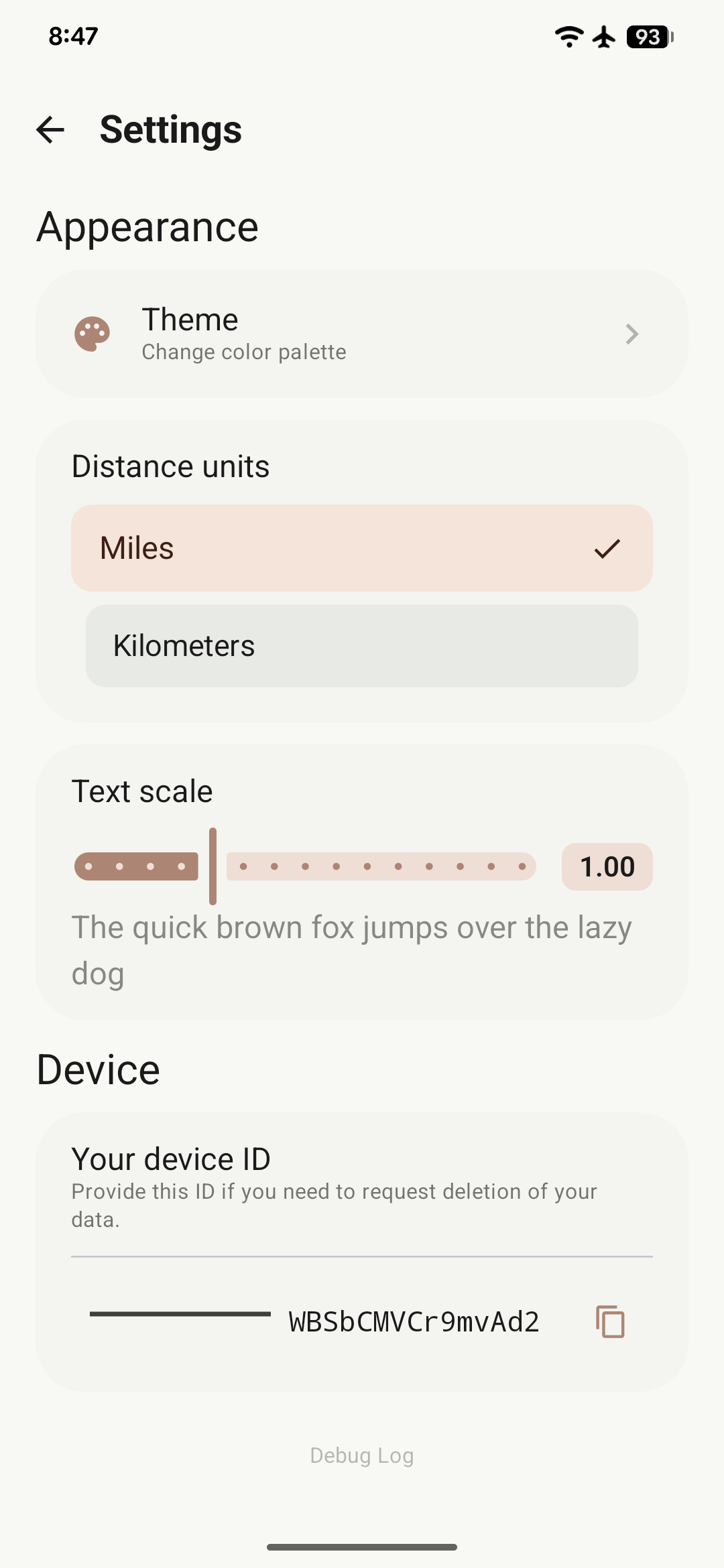
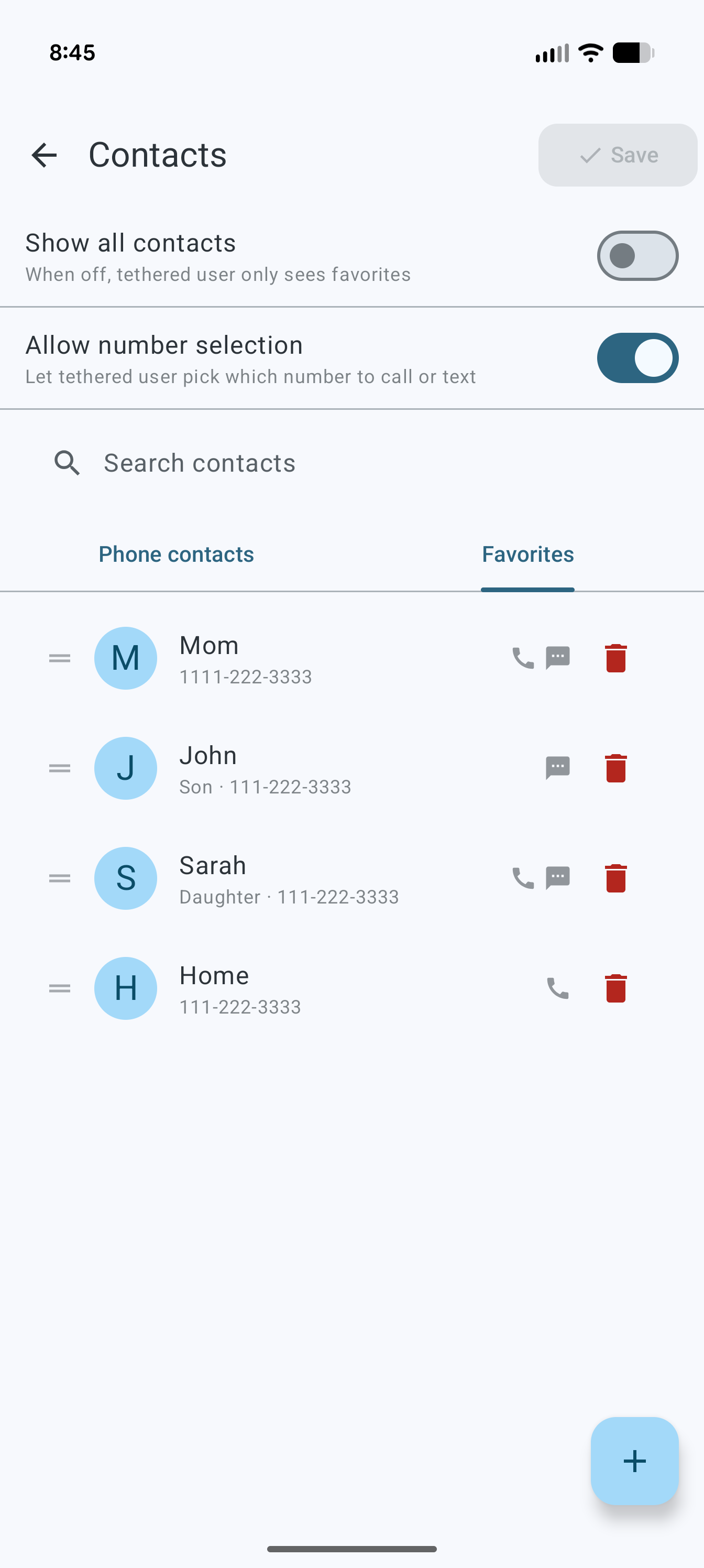
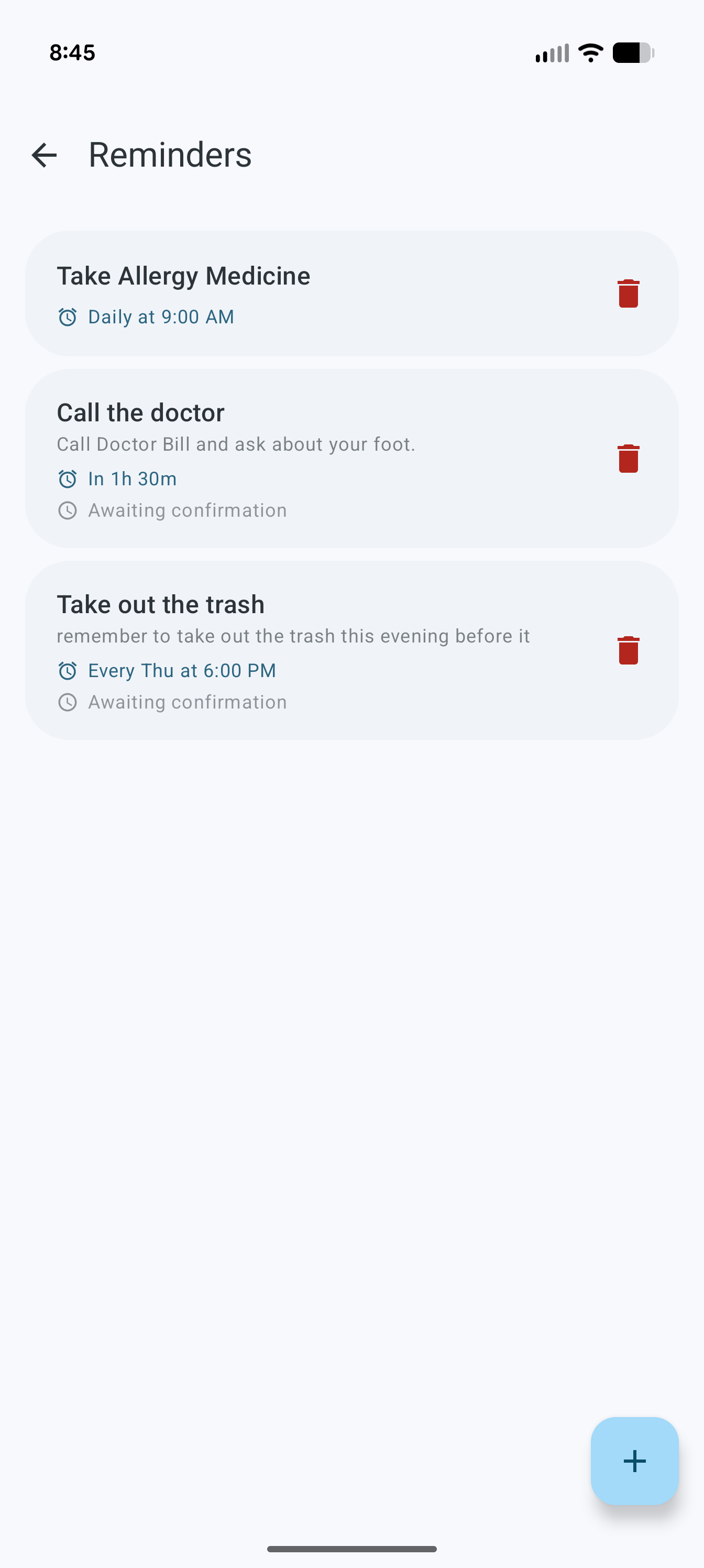
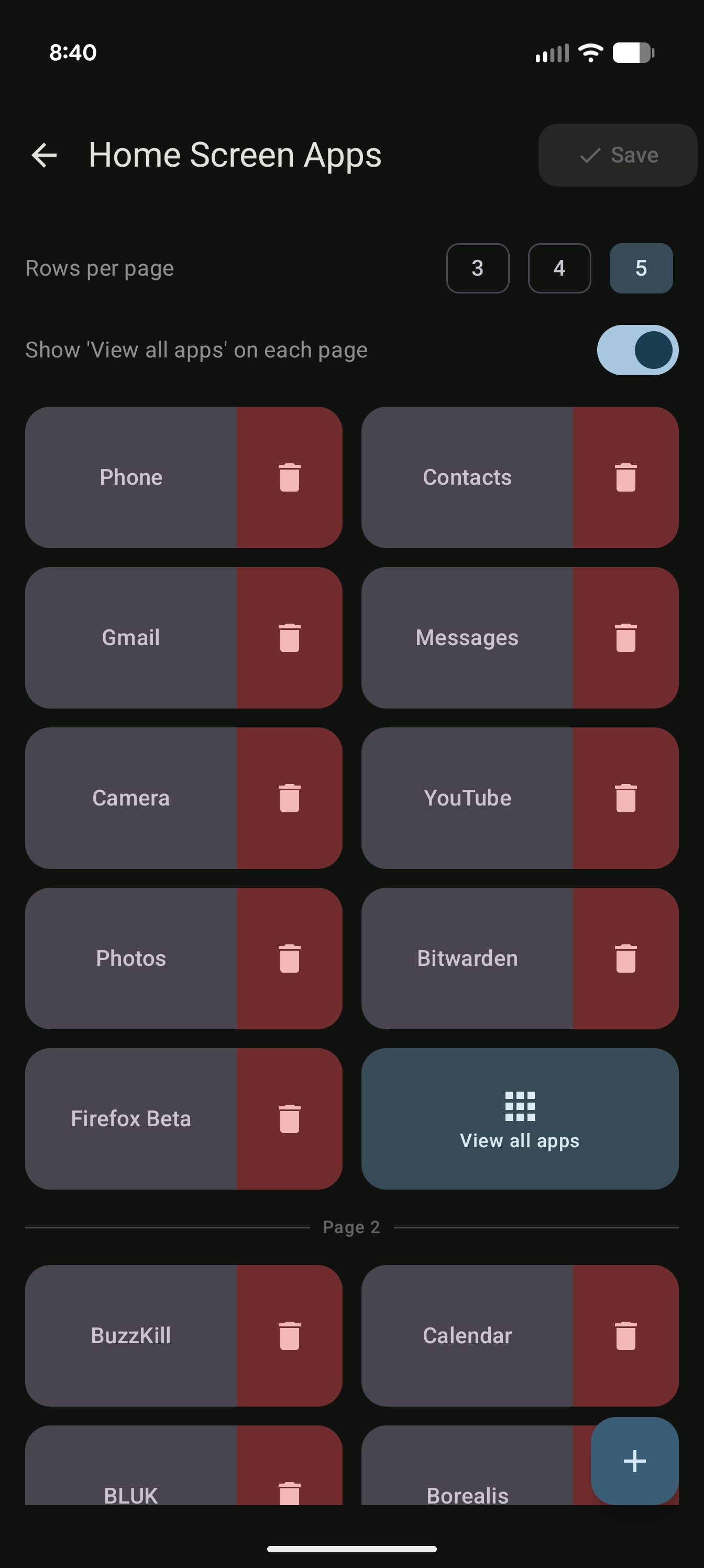
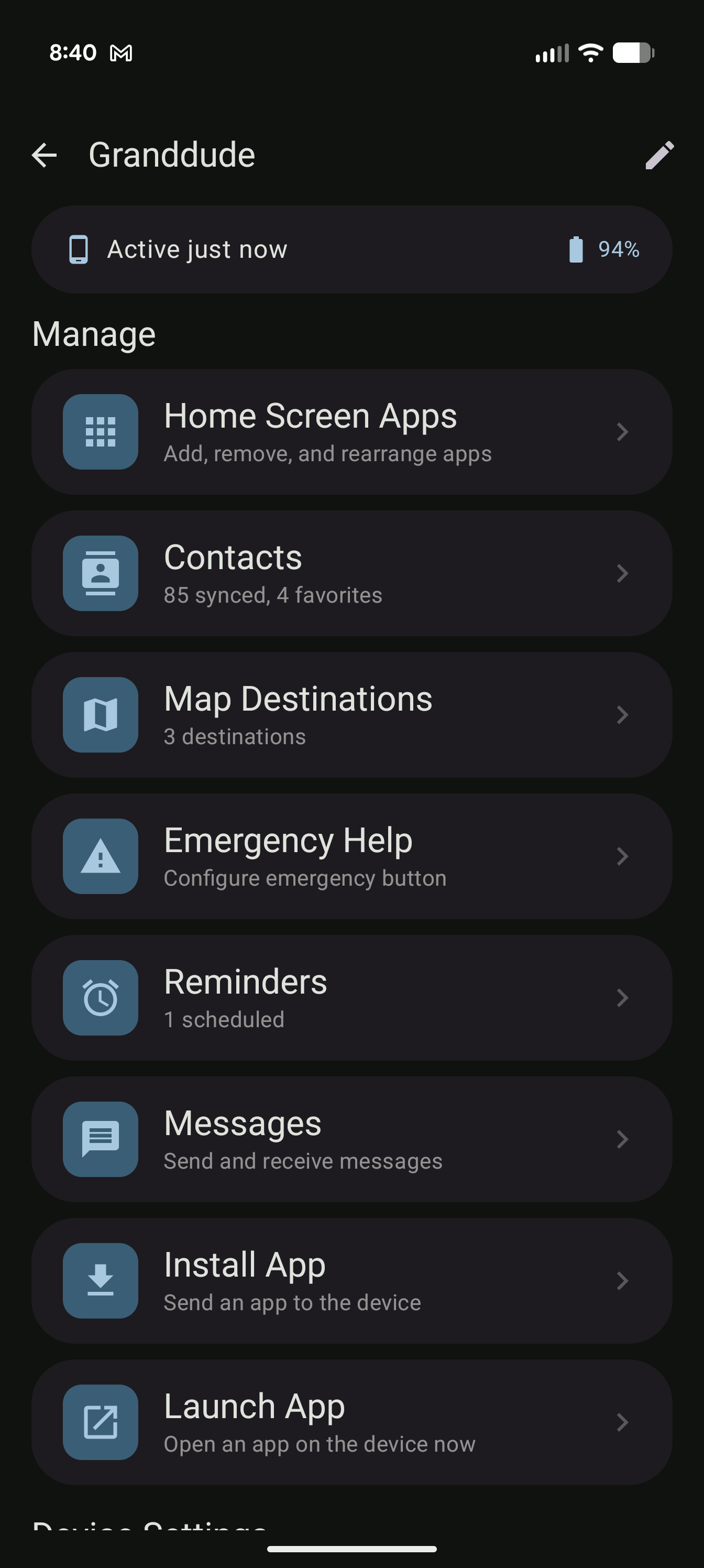
Tether Manager caregiver dashboard
Works on any Android device
Secure cloud backend
Real-time sync, always up to date
For families of all kinds

One app. Two experiences.

Tether Launcher is designed to be invisible to the person using it — it just works — while giving caregivers a complete set of tools to keep their loved ones safe and connected.

For the Person in Your Care

A home screen that gets out of the way

Large tiles, familiar layout, no clutter. The launcher puts the right things within reach and nothing else — whether they're 8 or 80.

  • Curated app grid Only the apps the caregiver has added. No bloat, no confusion.
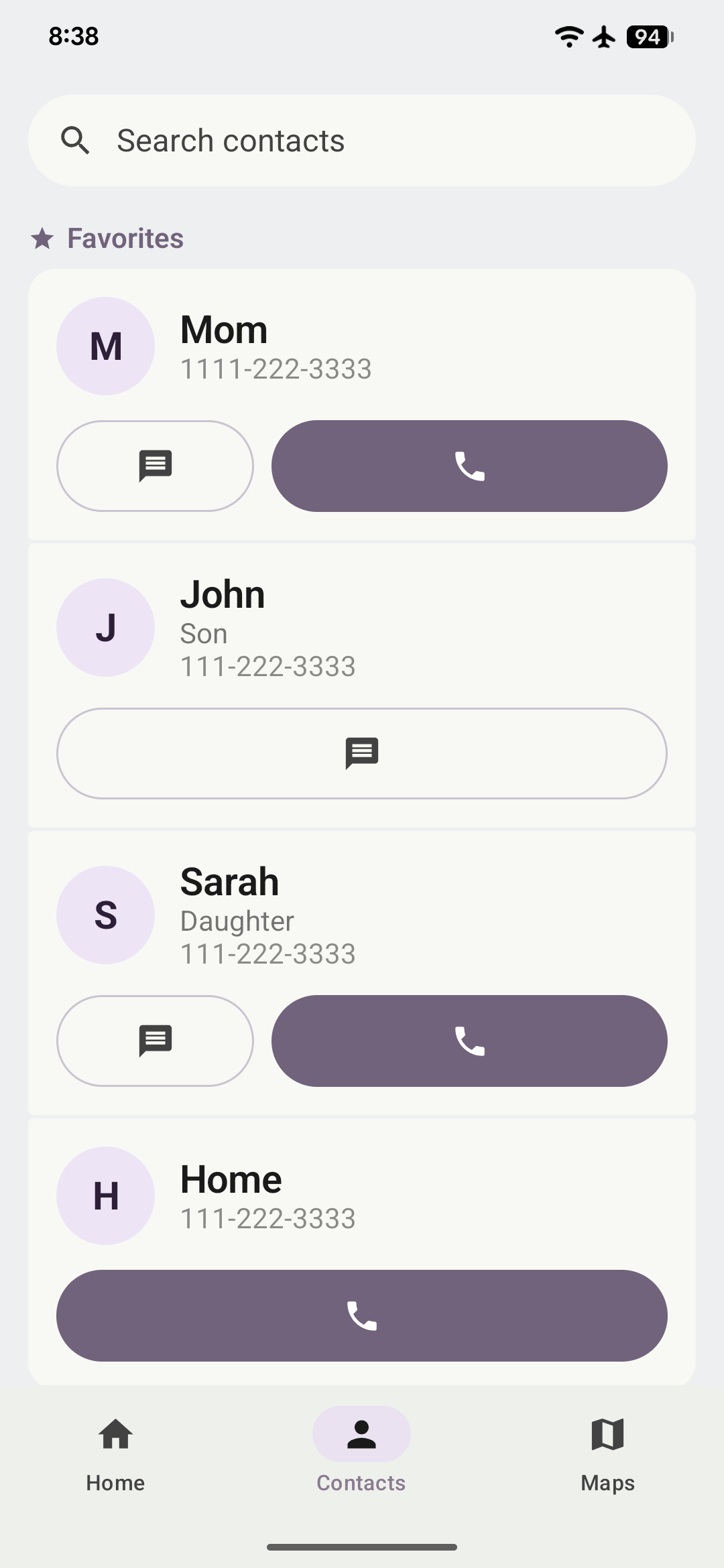
  • Contacts with one-tap calling & SMS Favourite contacts pinned at the top. Tap to call or send a message instantly.
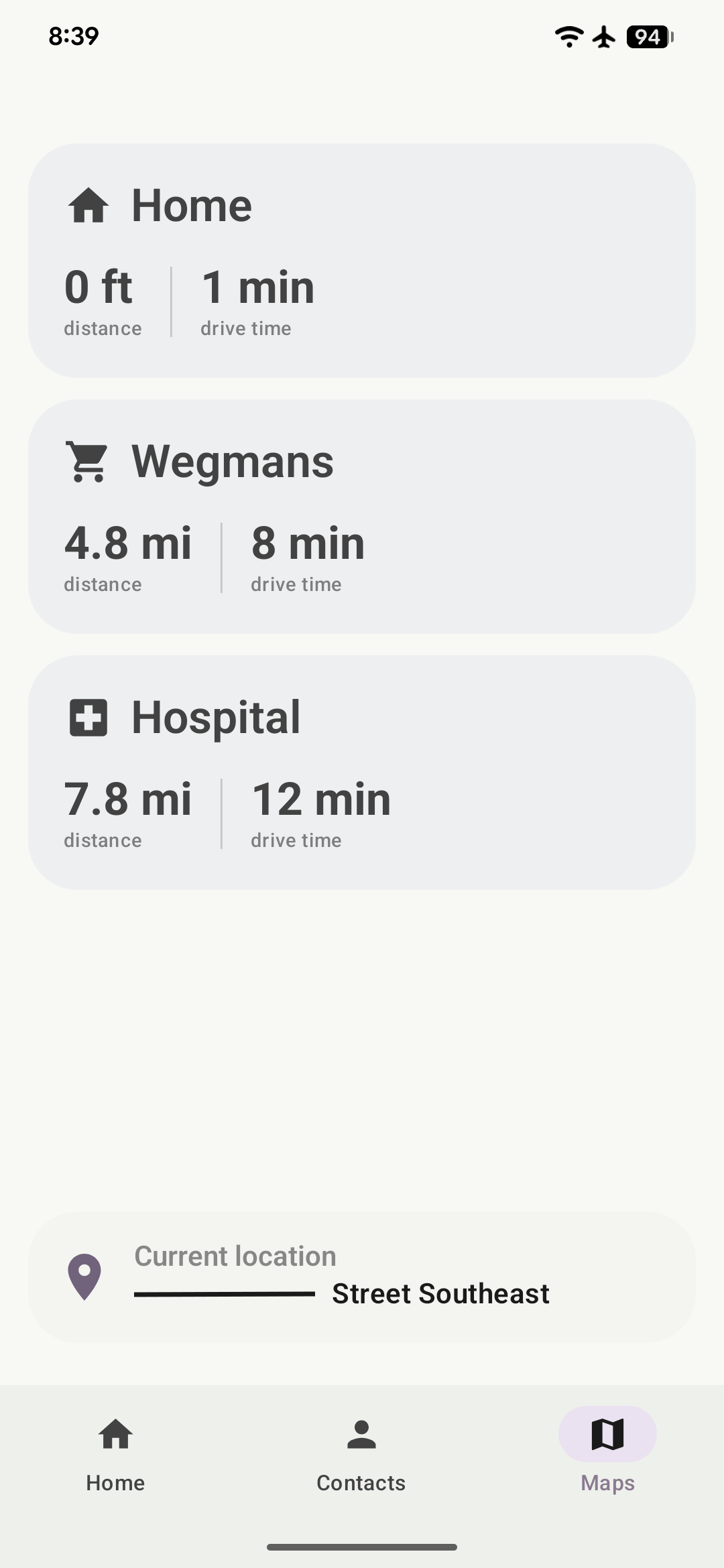
  • One-tap navigation Preset destinations with travel time and distance. Tap to open Google Maps.
  • Full-screen reminders Reminder notifications take over the screen so they're impossible to miss.
  • Pinned messages from caregiver Notes and reminders sent by the caregiver appear as dismissible cards on the home screen.
For the Caregiver

Everything you need, always in reach

Manage your loved one's device remotely. Every change syncs in seconds — no tech support required.

  • Remote home screen editor Add, remove, and reorder app tiles. Toggle tab visibility. Changes appear instantly.
  • Manage contacts & favourites Control exactly who appears in the contacts list and what actions each contact supports.
  • Schedule reminders One-time, daily, or weekly reminders. Delivered as full-screen alerts on their device.
  • Inactivity alerts Get notified if your loved one hasn't interacted with their phone within a configurable window.
  • Configure map destinations Set frequently visited places — home, clinic, family — with icons and labels.

Up and running in minutes

No technical knowledge needed. Tether pairs two devices with a simple code.

1

Install both apps

Install Tether Launcher on your loved one's Android device, and the Tether Manager app on your own phone.

2

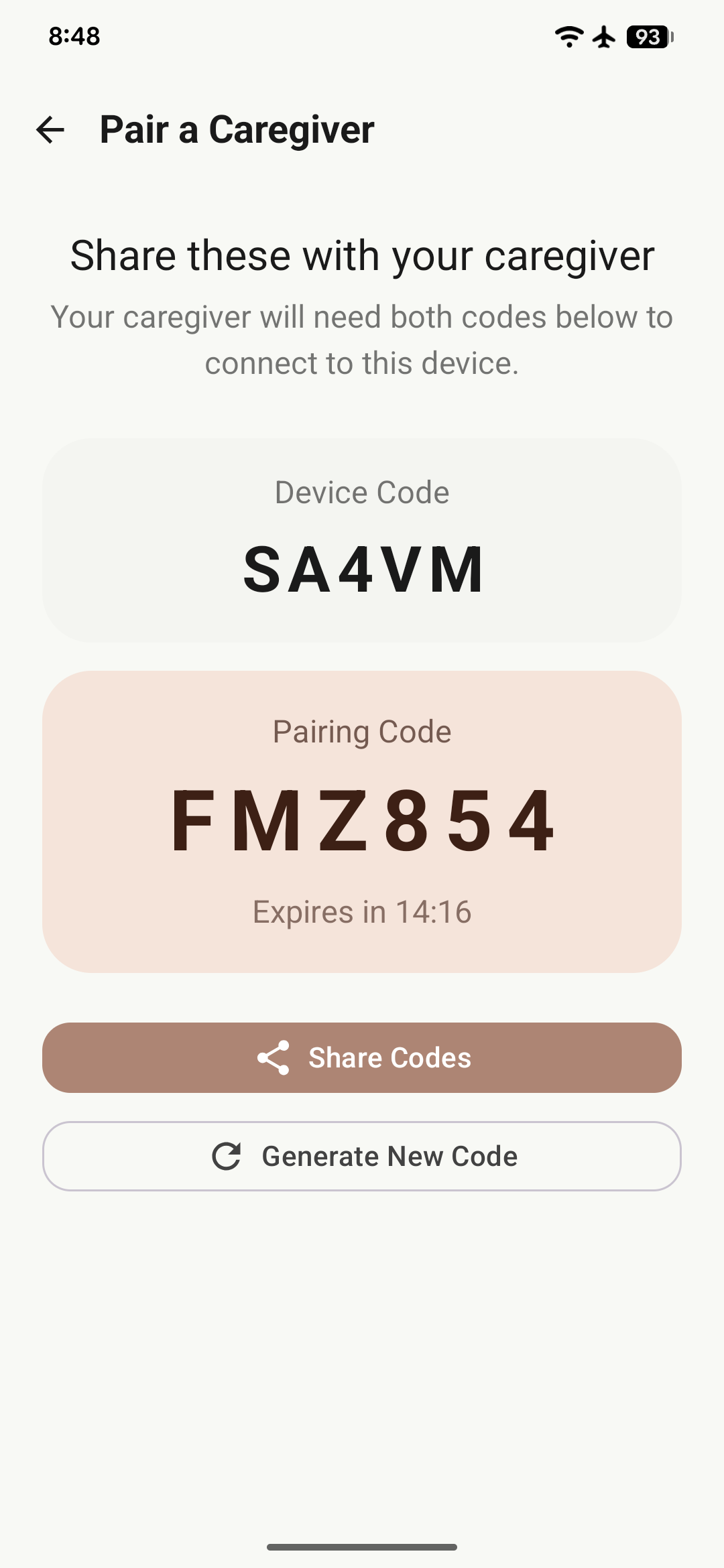
Pair with a code

Tether Launcher displays a short pairing code. Enter it in the manager app. Done — the devices are linked.

3

Customize & relax

Add apps, contacts, and destinations from the manager. Every change appears on their device in seconds.

Everything caregivers need

Designed around the real challenges of keeping the people you care for safe, connected, and comfortable — whatever their age.

Replaces the home screen

Tether Launcher becomes the default launcher — eliminating the complexity of the standard Android home screen entirely.

Pinned messages

Send a note that sits on their home screen until they dismiss it. Perfect for appointment reminders or just saying hello.

Inactivity monitoring

Set a threshold (e.g. 4 hours). If your loved one hasn't touched their phone during the day, you'll get a notification.

Destination shortcuts

Add their most-visited locations. Each card shows live travel time and distance, and opens Google Maps navigation with one tap.

One-time & recurring reminders

Create reminders for medications, appointments, or daily routines. Daily and weekly recurrence built in.

User controls their own privacy

The person using the launcher can see exactly who has access to their device and revoke any caregiver at any time.
Help is always one tap away

A large emergency button is built into the contacts screen. When activated, it calls the configured number and instantly alerts every paired caregiver — giving you peace of mind no matter where you are.

  • Two-step confirmation prevents accidental activation
  • Calls 911 or a custom contact — caregiver's choice
  • Real-time SOS alert sent to all caregivers immediately
  • Alert logged in Firestore with timestamp for record-keeping
Emergency Help
Tap to call for help

Changes sync in seconds

Every configuration update is delivered to the launcher in real time — no app restarts, no waiting.

Caregiver changes

Edit home screen layout
Add or remove contacts
Update map destinations
Schedule or cancel reminders
Send a pinned message
Live sync

Appears on launcher

Updated app grid with banner notification
Refreshed contacts list
New destination cards with travel time
Full-screen reminder at the right time
Message card on home screen

Give them confidence.
Give yourself peace of mind.

Free to download. Set it up in minutes and start managing your loved one's device from wherever you are — for families of all kinds.

Download Tether Launcher Learn more